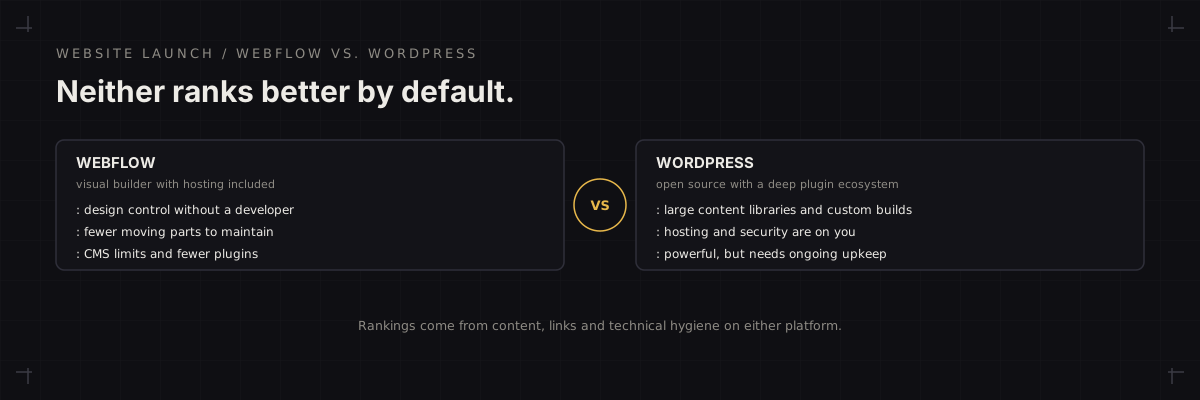
Short answer: Webflow suits a small marketing team that wants design control, built-in hosting and fewer moving parts, and can work within its CMS structure. WordPress suits teams that need a deep plugin ecosystem, large content libraries, custom functionality or full ownership of hosting, in exchange for ongoing maintenance. Neither ranks better on its own.
Most B2B marketing sites are a handful of core pages, a blog, case material and forms feeding a CRM. Both platforms can run that. The better question is who will edit the site, how much content it will hold, and how much upkeep the team can realistically own.
Where Webflow wins
- Design control without a developer. A designer can build and change layouts visually, so the site matches the brand without a long development queue.
- Fewer moving parts. Hosting, SSL and the platform are handled together, which removes the plugin updates and server patching that WordPress needs.
- Consistency. With less to configure, clean markup and fast pages are easier to keep consistent across the site.
Where WordPress wins
- Content scale and flexibility. Large blogs, resource libraries and custom content types are well supported, and plan limits on CMS items are not the constraint they can be elsewhere.
- Ecosystem. SEO, forms, membership, multilingual and integration needs can mostly be met with established plugins or custom code.
- Ownership. You choose the host, the stack and the developer, and you are not tied to one vendor's roadmap.
What decides it
| Factor | Leans Webflow | Leans WordPress |
|---|---|---|
| Who edits the site | Designers and marketers | Mixed editors with roles |
| Content volume | Modest, structured | Large or fast-growing |
| Maintenance capacity | Little to none | A developer or managed host |
| Custom functionality | Light | Heavy or unusual |
| Budget model | Platform subscription | Hosting plus developer time |
The SEO checklist is the same
On either platform, the work that moves rankings is identical: unique titles and descriptions, sensible heading structure, fast pages, clean internal linking, correct canonicals and a crawlable sitemap. Use the technical SEO checklist before launch and the Core Web Vitals guide whichever you choose.
If you are migrating
Map every old URL to a new one, carry over metadata and schema, set permanent redirects, and re-test forms before the switch. The site migration checklist covers the sequence. For ongoing technical upkeep, the SEO and search growth service and the website security checklist apply, particularly on WordPress.
Further reading (primary sources): Google Search Central: SEO Starter Guide and Google Search Central: creating helpful, reliable, people-first content.
FAQ
Does Webflow or WordPress rank better on Google?
Neither has a built-in ranking advantage. Rankings depend on content, links, page speed and crawlable structure, all of which are achievable on both. The platform matters through what it makes easy: WordPress's plugin ecosystem makes advanced SEO configuration simple to add, while Webflow's simpler setup makes clean, fast pages easier to keep consistent.
- No platform carries a ranking advantage on its own.
- Each makes different SEO tasks easier.
What does migrating between them risk?
URL changes without redirects, lost metadata and schema, and broken internal links. Those, not the platform itself, cause most migration ranking losses, so a complete URL map and permanent redirects matter more than which platform you land on.
- Missing redirects and metadata cause the losses.
- A URL map and 301s matter more than the destination platform.