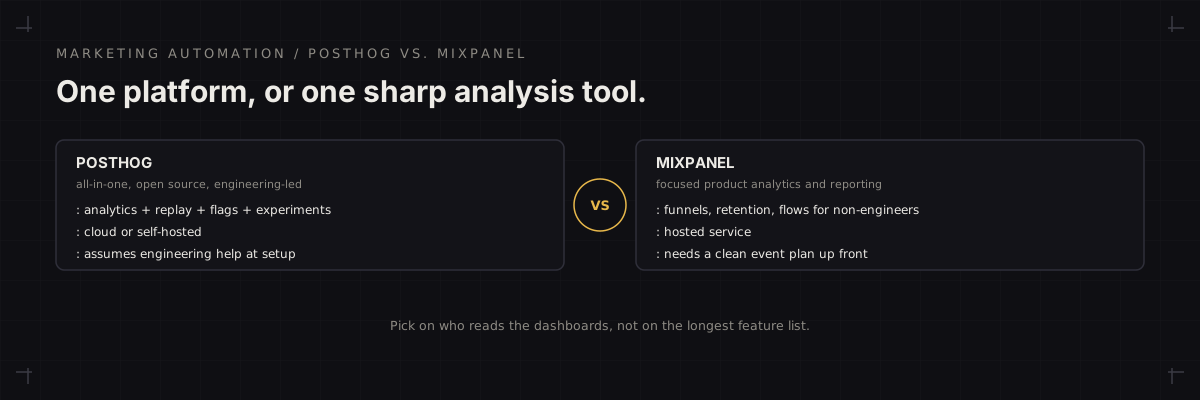
Short answer: PostHog suits a product-led team that wants analytics, session replay, feature flags and experiments in one platform and has engineering help to set it up. Mixpanel suits a team that mainly wants fast, readable funnel, retention and flow analysis that non-engineers can run once events are flowing in.
Both tools are event-based product analytics: you send events (signed up, invited a teammate, ran a report), then analyze funnels, retention and paths. The choice is less about whether they can answer a retention question, because both can, and more about how much of the surrounding toolkit you want inside the same product and who on your team will actually use it every week.
Where PostHog wins
- One platform, several jobs. Product analytics, session replay, feature flags, experiments and surveys sit in one product and one data set, so a flag, a funnel and a replay can all point at the same users.
- Open source with flexible hosting. PostHog can be self-hosted or used as a hosted cloud service, which matters for teams with data-ownership or residency requirements.
- Built for engineering-led teams. It fits teams comfortable with SDKs, direct access to their data and shipping changes behind flags.
Where Mixpanel wins
- Readable analysis for non-engineers. Funnels, retention, flows and breakdowns are built so a product manager or marketer can answer a question without writing a query.
- Focus. Mixpanel's centre of gravity is analysis rather than a bundled toolkit, which suits a team that already has separate tools for flags or experiments.
- Reporting built for readers. Saved reports, dashboards and sharing are designed around the people who consume analysis, not only the people who instrument it.
Side by side
| Question | PostHog | Mixpanel |
|---|---|---|
| Scope | Analytics plus replay, flags, experiments, surveys | Focused product analytics and reporting |
| Hosting | Cloud or self-hosted | Hosted service |
| Typical owner | Product and engineering | Product, growth and marketing |
| Setup effort | Higher, assumes engineering help | Moderate, needs a clean event plan |
What to settle before choosing
- The event plan. Write down the ten or so events that answer your real questions. If you cannot, no tool will fix that.
- Who reads it weekly. If the answer is a marketer or founder with no engineering support, favor the tool that person can use unaided.
- Whether you need the extras in the same place. Replay, flags and experiments inside the analytics tool is a real advantage only if you would otherwise buy them separately.
- Current pricing and features. Both vendors ship quickly and price on usage, so compare against your expected event volume rather than the headline plan.
Tracking comes first
Either tool only answers what the tracking supports. A messy event schema produces confident-looking charts that cannot be trusted, which is the same failure behind most dashboards teams stop believing. Start with the conversion tracking validation checklist, and see the marketing infrastructure service if the foundation needs building. For the comparison of the other common pairing, read Amplitude vs. Mixpanel.
FAQ
Can a marketing team use PostHog without an engineer?
Reading dashboards and funnels day to day is fine, but setup is where PostHog assumes technical help: installing the snippet or SDK, naming events, and deciding what to self-host and what to run on the cloud version. A marketing team with no engineering time at all usually finds Mixpanel's guided reports easier to work in once events exist.
- Day-to-day reading of dashboards is manageable for non-engineers.
- Installation and event naming are where engineering help is needed.
Is switching between them worth it later?
Rarely, unless the team's real need changes. Moving means remapping or re-instrumenting events and losing continuity in historical reports, so pick on the next two years of need rather than a feature checklist, and keep event names clean so a future migration stays possible.
- Migration costs continuity in historical reports.
- Clean event naming keeps a later move possible.